Releases
TermRover 1.3.1: Claude Code and Codex usage on your phone
Check the Claude and Codex usage limits of each of your machines from your phone, and fix the Mac gotcha that hides Claude Code's sign-in from SSH.
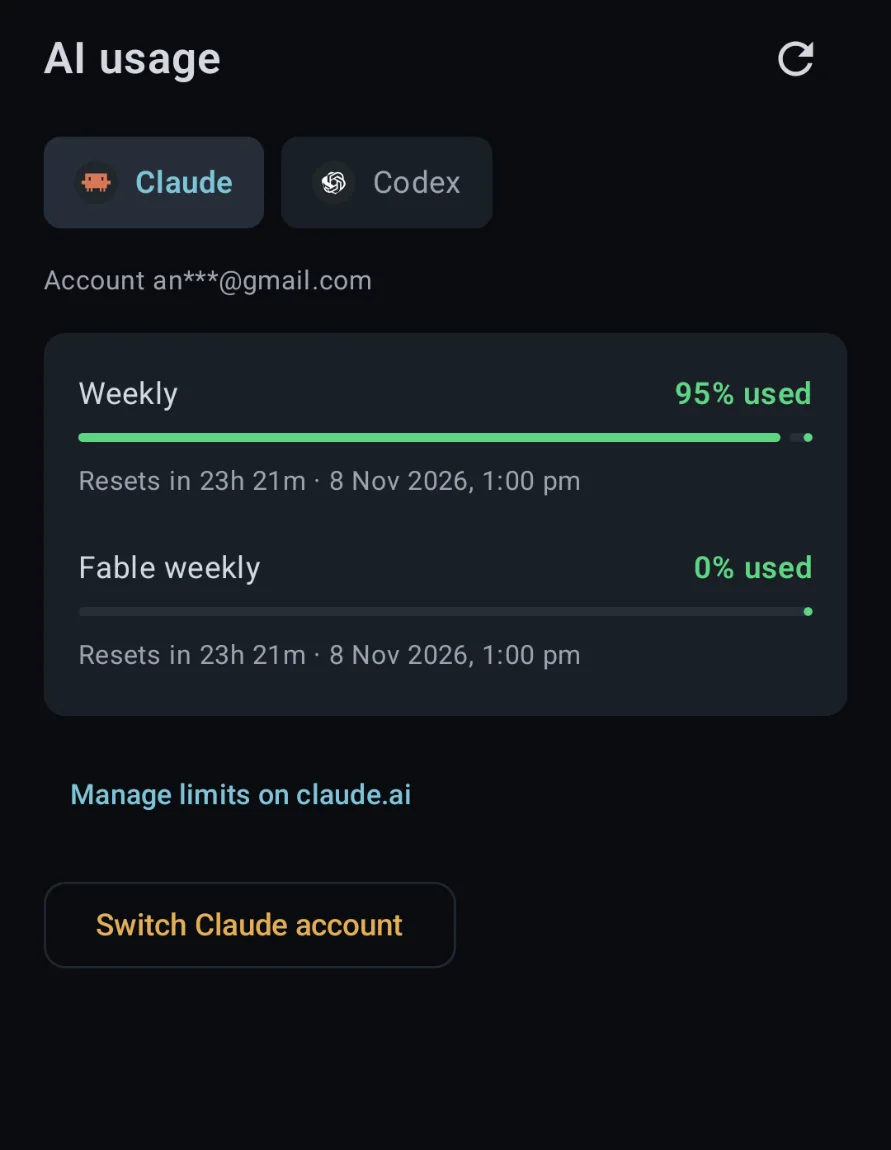
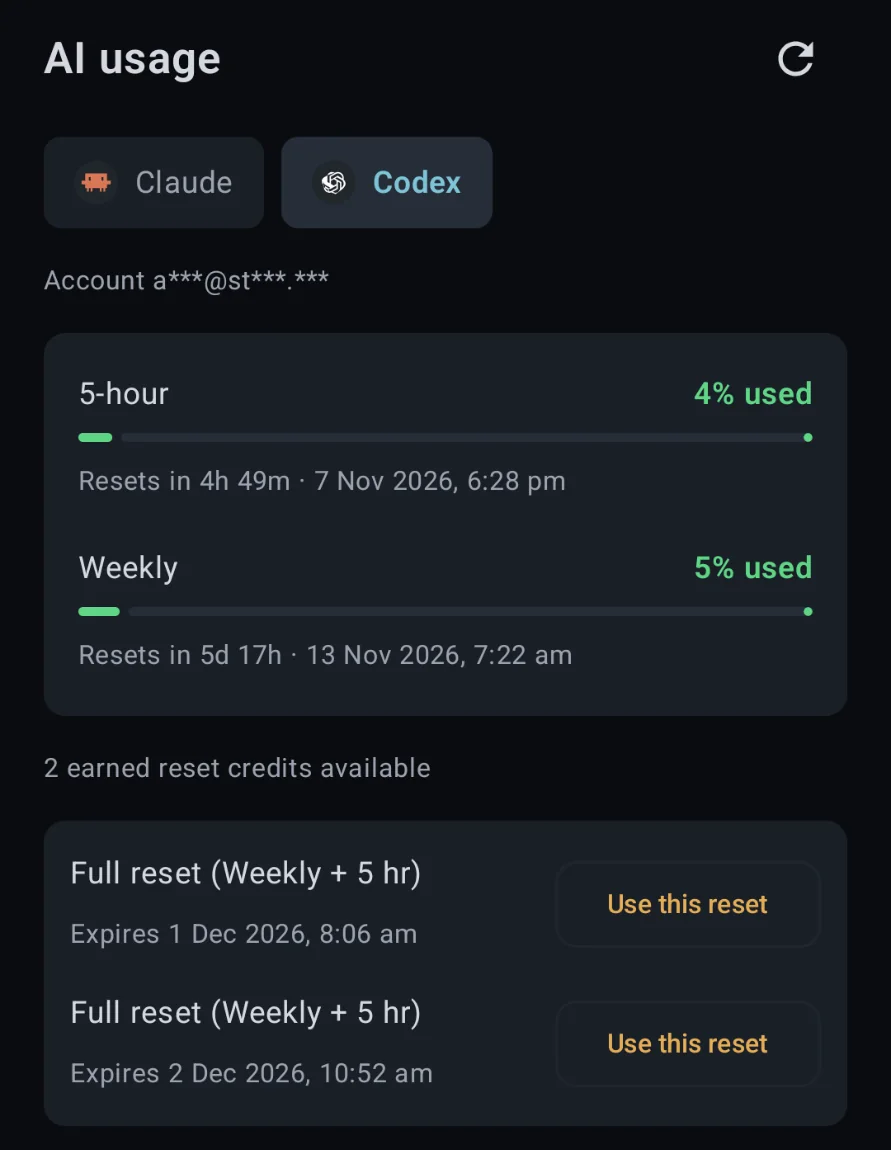
TermRover 1.3.1 added AI usage: the Claude and Codex limits of the machine you’re connected to, and when each one resets, one tap away on your iOS or Android device.
Where to find it
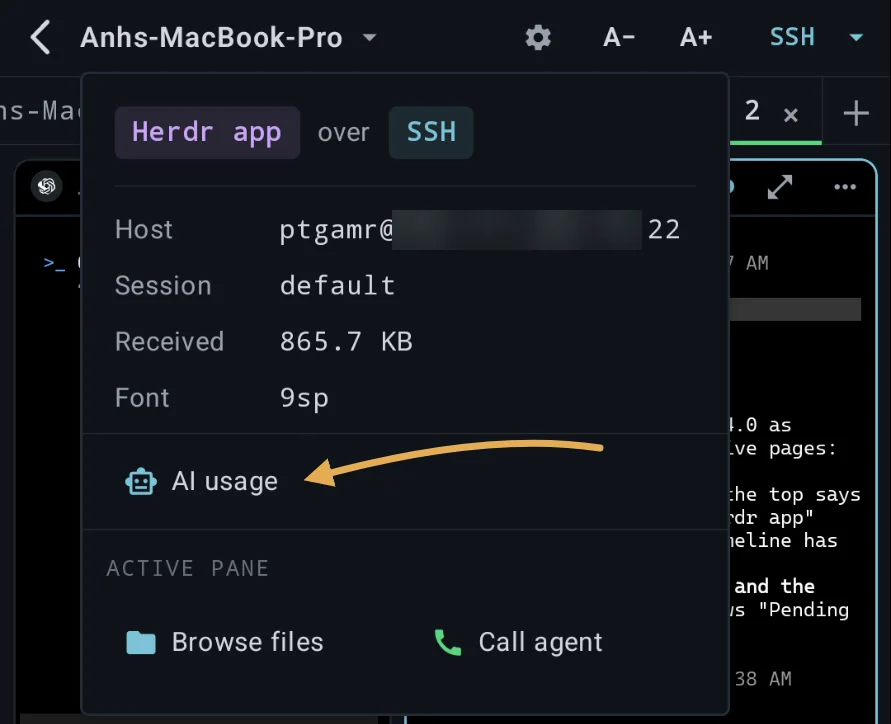
Tap the host name at the top of a terminal tab, then AI usage.
The Herdr Agents Fleet has an AI usage tab too, with a card for every machine in your fleet. AI usage is free, no Pro needed.
What you see
- The account signed in on that machine. Its email is masked on the machine, before it reaches your phone.
- Each limit as a percentage used, with a countdown to its reset.
- Codex reset credits, when your account has earned some. Use this reset asks before it spends one, and TermRover never buys credits.
TermRover reads usage only when you open it or tap refresh. Nothing runs in the background.
Gotcha: Claude Code over SSH on a Mac
Why your Mac says you’re not signed in
On a Mac, Claude Code keeps its sign-in in the Keychain, and an SSH session can’t open the Keychain. Over SSH, Claude Code only looks in ~/.claude/.credentials.json, which a Mac usually doesn’t have. So Claude Code can work fine on your Mac’s desktop while AI usage, and any claude you start over SSH, says you’re not signed in.
The fix takes a minute. Tap Sign in to Claude in AI usage. TermRover runs claude auth login --claudeai on the Mac, you log in from your phone’s browser, and the sign-in is saved to that file. From then on, AI usage works on that Mac, and so does every Claude Code you start there over SSH.
TermRover keeps no copy of the sign-in. When it expires, TermRover renews it on the machine, the way Claude Code does. Switch Claude account works the same way as signing in.
What your machine needs
- macOS or Linux, with Python 3. Mosh tabs work too; Windows isn’t supported.
- Claude Code or Codex, signed in with a subscription: a Claude account, or ChatGPT for Codex. An API key has no usage limits to show.
What TermRover runs on your machine
A short Python script, saved at ~/.termrover/termrover_ai_usage.py so you can open it and read exactly what it does. Since TermRover 1.4.1, AI usage asks before it puts the script on a machine, checks its checksum before every run, and keeps it up to date. It runs only when you open AI usage or tap refresh, and exits after each read. Delete the file and TermRover asks again.
- Claude: reads
~/.claude/.credentials.jsonand asksapi.anthropic.comfor your usage. It renews an expired sign-in in that file. - Codex: asks
codex app-server, in read-only mode. - Your phone gets only limits, reset times and your masked email. Your tokens never reach it.